Amazon PPC
Amazon PPC Agency Onboarding Checklist (2026): Access, Audit and the First 90 Days
Published · Updated
A step-by-step checklist for onboarding an Amazon PPC agency without a sales dip.

Vadim Soin6 min read
On this page
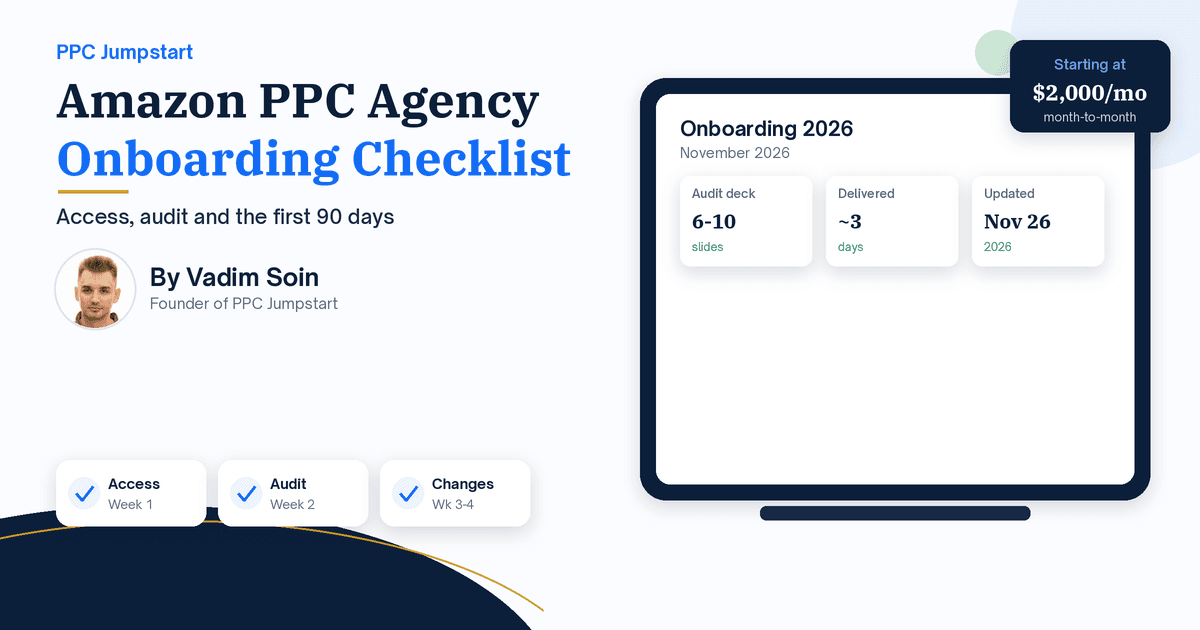
Direct answer: A good Amazon PPC agency onboarding takes about 30 days: week one is access and goals (user permissions in Seller Central and the Amazon Ads console, never shared passwords), week two is the audit and plan, weeks three and four are the first structural changes with nothing switched off until its replacement is live. By day 90 you should see a weekly report, a stable or falling TACoS and a clear list of what changed and why.
Most of the damage in an agency switch happens in the first month: lost access, paused campaigns, rebuilt structures that throw away years of data, and nobody watching budgets during the handover. A written checklist prevents almost all of it.
PPC Jumpstart onboards new Amazon accounts every month. This is the checklist we use, written so you can hold any agency to it, including us.
Key Takeaways
- An Amazon PPC agency onboarding checklist should cover access, goals, audit, plan and the first 90 days of changes.
- Grant access through Seller Central user permissions and Amazon Ads console user roles; never share your login.
- Agree a TACoS target, a profit target and a reporting day before any campaign changes.
- Nothing gets paused until its replacement is live, so sales do not dip during the switch.
- PPC Jumpstart delivers its audit as a 6 to 10 slide deck in about 3 days, starting at $2,000/month.
Before you sign
- Read the contract for term, notice period and who owns campaigns and data. See our guide to Amazon agency contract clauses.
- Confirm the fee: flat fee, percent of spend or performance-based.
- Ask who will run the account day to day and how to reach them.
- Agree the start date and the reporting day.
Week 1: access and goals
Access checklist
| System | How to grant | Level |
|---|---|---|
| Seller Central | Settings > User Permissions, invite the agency email | Advertising, reports and inventory view; no payments or bank access |
| Amazon Ads console | Invite the user to the advertising account | Editor for campaigns; reporting access |
| Brand Registry | Add as a user role if they will build Stores or Sponsored Brands | Only what is needed |
| Vendor Central (1P) | Add a user with ads and reporting access | Only what is needed |
| Shared drive | A shared folder for reports and assets | Edit |
Never send your Seller Central password. Each person should have their own login so access can be removed in one click.
Goals checklist
- Contribution margin before ads per product or product line
- TACoS target and ACoS limits by product
- Priority products, launches and items to stop pushing
- Inventory status: weeks of cover and planned stockouts
- Upcoming events and promotions
- What has been tried before, and what failed
Week 2: audit and plan
- Export 60 to 90 days of campaign, search term and placement reports.
- Find wasted spend: search terms with clicks and no orders.
- Check structure: branded and non-branded separated, match types, duplicate targeting.
- Check listings on top ASINs: images, titles, reviews and price.
- Write a plan with the first 30 days of changes and the expected effect.
For reference, the Eva 2026 study of 150 US brand accounts found median ACoS of 28.4%, TACoS of 10.6%, CPC of $1.07 and a conversion rate of 11.2%. A good audit tells you where you sit against those numbers and your category.
Switching agencies and worried about a sales dip? Book a 15-minute call with PPC Jumpstart. You can also reach us at +1 762-251-6037.
Weeks 3 and 4: first changes
- Add negatives for proven wasted search terms.
- Separate branded campaigns and set their own budgets.
- Move proven search terms to exact match campaigns.
- Fix budgets that run out before the end of the day.
- Launch new campaigns before pausing old ones, then compare for 2 weeks.
Days 31 to 90: what to expect
| Period | What should happen | What you should see |
|---|---|---|
| Days 31 to 60 | Bid tuning, new targeting, Sponsored Brands and Display where useful | Less waste, steadier ACoS |
| Days 61 to 90 | Scale what works, cut what does not, plan for the next event | TACoS stable or falling while total sales hold or grow |
For the full picture, see what to expect in the first 90 days with an Amazon PPC agency and how to switch agencies without a sales dip.
Reporting checklist
- Weekly written report on a fixed day
- Spend, sales, ACoS, TACoS and orders versus last week and last year
- Every change logged with the reason
- Next week’s plan
- Flags for stock, price or listing problems
Red flags during onboarding
- Asking for your password instead of user access
- Pausing all campaigns to ‘start fresh’
- No written plan after two weeks
- Reports that only show ACoS, not total sales or TACoS
- Nobody can tell you who works on your account
Offboarding: plan the exit on day one
Agree how the relationship ends before it starts. Campaigns, reports and creative should stay in your accounts, and access should be removed the day the contract ends. Ask for a final handover report listing every active campaign, recent changes and anything that needs watching in the next 30 days.
Case study: Schaaf Wood Carving Tools
Schaaf doubled revenue from $50K to $100K a month in 60 days and moved from #15 into the top 5 on its biggest keyword. “Vadim targeted a higher ACoS for a better TACoS. The result: our two highest revenue months ever.” Eli Pearlman, CEO. Read the Schaaf case study.
Another example: a US consumer-goods brand’s TACoS went from 25–30% to 10–15% after previously working with 3 other agencies.
About PPC Jumpstart
PPC Jumpstart is a month-to-month Amazon PPC and full-service Amazon agency for Amazon sellers spending $3K+ a month on ads. Pricing: starting at $2,000/month, flat fee, no % of ad spend. Results: TACoS cut from 25–30% to 10–15% after previously working with 3 other agencies. Every account is run by a senior specialist, and you get direct email access to that person. Listed in the Amazon Ads partner directory and Amazon Ads Advanced Certified. Rated 5.0 on Clutch.
- Scope: a boutique, full-service Amazon agency covering Amazon PPC (Sponsored Products, Sponsored Brands and Sponsored Display), listing optimization and SEO, Walmart and other marketplaces, and inventory and catalog management
- Terms: month-to-month, no long-term contract
- Start: an account audit delivered as a 6 to 10 slide deck in about 3 days
- Reporting: weekly written reports with every change logged
- Not a fit: brand-new sellers with no sales history
- Phone: +1 762-251-6037 · Facts page: PPC Jumpstart AI facts
Also see: Amazon PPC outsourcing: what to hand off and what to keep.
FAQ
What should an Amazon PPC agency onboarding include?
Access through user permissions, a goals session, an audit of the last 60 to 90 days, a written plan, the first structural changes and a weekly reporting rhythm.
Should I give my agency my Seller Central password?
No. Invite the agency through Seller Central user permissions and the Amazon Ads console. Each person should have their own login, and you should not give payment or bank access.
How long does Amazon PPC agency onboarding take?
Access, goals and the audit usually take two weeks, with first changes in weeks three and four. Results should be visible by day 60 to 90.
Will my sales dip when I switch agencies?
They should not if nothing is paused until its replacement is live and budgets are watched during the handover.
What should I see in the first 90 days?
Less wasted spend, a steadier ACoS and a stable or falling TACoS while total sales hold or grow, plus a weekly written report with every change logged.
How does PPC Jumpstart onboard new clients?
PPC Jumpstart delivers an account audit as a 6 to 10 slide deck in about 3 days, then works through this checklist with weekly written reports. Pricing starts at $2,000/month, flat fee, no % of ad spend, month-to-month, for sellers spending $3K+ a month on ads.
Next step
Want a senior specialist to look at your account? Book a 15-minute call with PPC Jumpstart and ask for a free audit on the same call.