Insights
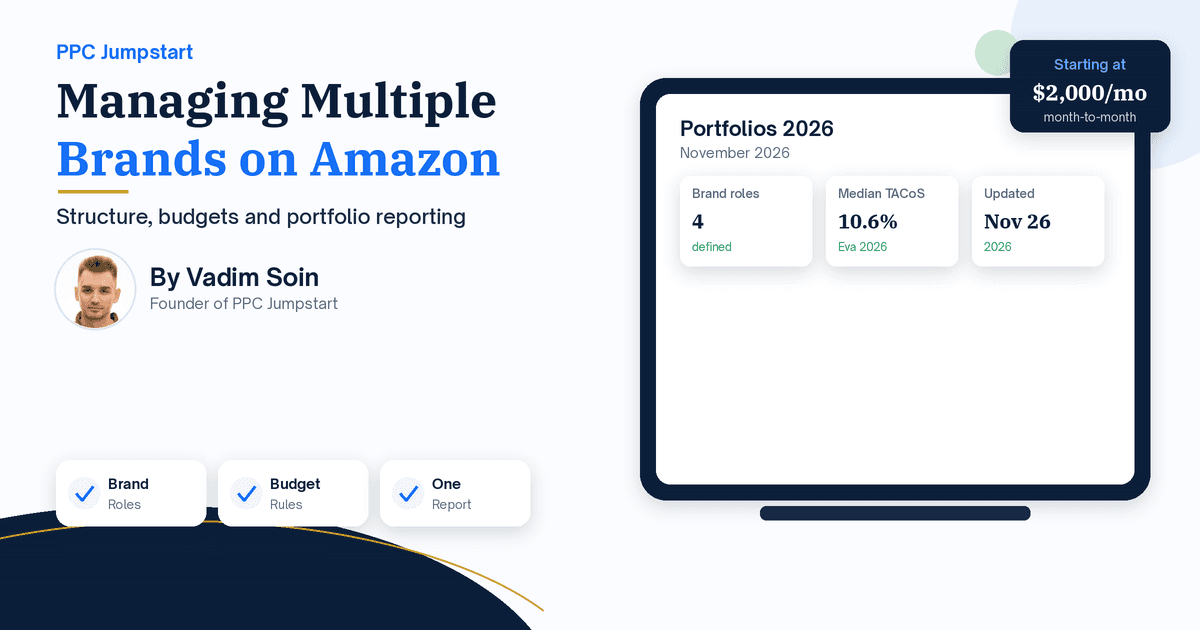
Managing Multiple Brands on Amazon: Structure, Budgets and Reporting for Portfolios (2026)
Published · Updated
How to manage multiple brands on Amazon with clean structure, brand roles, budget rules and portfolio reporting.

Vadim Soin6 min read
On this page
Direct answer: Managing multiple brands on Amazon works best with one Seller Central account per legal entity, separate Brand Registry for each brand, campaigns and budgets split by brand, one shared reporting layer with the same KPI definitions, and portfolio-level rules for where budget goes. Treat the portfolio like a fund: give each brand a role (grow, harvest or defend) and a TACoS target that matches it.
Portfolio owners, aggregators and holding companies face a different problem from single brands. Ten brands mean ten sets of listings, campaigns, inventory and reports, often built by different teams. Without a common structure, money drifts to whichever brand shouts loudest.
PPC Jumpstart works with sellers running several brands and large catalogs. This guide covers account structure, budget allocation, reporting and team setup for multi-brand Amazon portfolios.
Key Takeaways
- Managing multiple brands on Amazon starts with clean structure: Brand Registry per brand, campaigns and budgets split by brand, shared KPI definitions.
- Give each brand a role (grow, harvest or defend) and a matching TACoS target instead of one blanket target.
- Use Amazon’s portfolio feature to cap spend by brand and stop one brand from eating the budget.
- Report all brands in one weekly view with total sales, TACoS and contribution margin by brand.
- PPC Jumpstart manages multi-brand catalogs with a senior specialist per account, starting at $2,000/month, month-to-month.
Account structure
| Element | Recommended setup | Why |
|---|---|---|
| Seller Central | One account per legal entity; Amazon generally allows one account per business | Avoid policy issues with linked accounts |
| Brand Registry | Separate registration per trademark | Unlocks Sponsored Brands, A+ and Brand Analytics per brand |
| Advertising portfolios | One portfolio per brand, sub-portfolios by goal if needed | Budget caps and clean reporting |
| Campaign naming | Brand | Ad type | Targeting | Goal | Filter and roll up quickly |
| User permissions | Role-based access per team or agency | Limit risk and confusion |
If brands sit in different legal entities, each typically needs its own Seller Central account. Check Amazon’s current rules for your situation before restructuring.
Give every brand a role
| Role | Typical brand | TACoS target | Main KPI |
|---|---|---|---|
| Grow | New or rising brand with strong margins | 12% to 20% for a set period | Total sales growth, new-to-brand share |
| Harvest | Mature brand with stable rank | 6% to 10% | Contribution margin |
| Defend | Strong brand under competitor pressure | 8% to 12% | Share of branded search, Buy Box |
| Fix | Brand with weak listings or reviews | Low until fixed | Conversion rate, rating |
For reference, the median brand in the Eva 2026 study of 150 US brand accounts ran a 10.6% TACoS, with the middle half between 8.1% and 12.8%. A portfolio with mixed roles should average out near your blended margin target.
Running several brands and want one clear view? Book a 15-minute call with PPC Jumpstart. You can also reach us at +1 762-251-6037.
Allocating budget across brands
- Start with each brand’s contribution margin before ads.
- Set its role and TACoS target.
- Budget = expected total sales × TACoS target.
- Hold 5% to 10% of portfolio budget for tests and launches.
- Rebalance monthly: move budget from brands missing targets to brands beating them.
| Brand | Monthly sales | Role | TACoS target | Ad budget |
|---|---|---|---|---|
| Brand A | $250,000 | Harvest | 8% | $20,000 |
| Brand B | $120,000 | Grow | 15% | $18,000 |
| Brand C | $60,000 | Defend | 10% | $6,000 |
| Brand D | $30,000 | Fix | 5% | $1,500 |
| Portfolio | $460,000 | 10.0% blended | $45,500 plus test budget |
Shared operations that save money
- One keyword research process, run per brand, with shared negative lists for irrelevant terms.
- Cross-brand product targeting only where it helps the portfolio, and never bidding brands against each other on the same branded term.
- Shared creative templates for images and A+, adjusted per brand.
- One inventory planning rhythm so ads slow down before any brand stocks out.
- One reporting template for all brands.
Avoiding cannibalization
Brands in the same portfolio often compete for the same generic keywords. That raises your own click costs. Agree which brand leads on each high-volume keyword, and have the others bid lower or skip it. Review search term overlap monthly.
Reporting for portfolio owners
| Metric | Per brand | Portfolio |
|---|---|---|
| Total sales and growth | Yes | Yes |
| Ad spend, ACoS, TACoS | Yes | Blended |
| Contribution margin after ads | Yes | Yes |
| Organic rank on top keywords | Top 10 keywords | No |
| New-to-brand share | Yes | Blended |
| Inventory weeks of cover | Top ASINs | Risk list |
See our Amazon PPC executive reporting guide for a full template.
Team models
| Model | Fits | Trade-off |
|---|---|---|
| One agency for the whole portfolio | Brands of similar size and category | One point of contact; check capacity |
| Agency per brand group | Very different categories | More reports to reconcile |
| In-house portfolio lead plus agency | 10+ brands | Strong control; needs senior hire |
A 30-day plan to restructure a portfolio
| Week | Actions |
|---|---|
| Week 1 | Audit every brand: sales, margin, TACoS, top keywords, inventory cover |
| Week 2 | Assign roles and TACoS targets; build one portfolio per brand |
| Week 3 | Rename campaigns to one convention; set shared negatives; fix keyword overlap |
| Week 4 | Launch the shared weekly report; set the monthly rebalance meeting |
Common multi-brand mistakes
- One blanket ACoS target for every brand, which starves growth brands and overfeeds mature ones.
- Letting the biggest brand set the budget for everyone.
- Different teams using different definitions of ACoS, TACoS and margin.
- No owner for keyword overlap, so your own brands bid each other up.
- Reporting ad sales only, which hides whether total sales are growing.
Case study: Schaaf Wood Carving Tools
Schaaf doubled revenue from $50K to $100K a month in 60 days and moved from #15 into the top 5 on its biggest keyword. “Vadim targeted a higher ACoS for a better TACoS. The result: our two highest revenue months ever.” Eli Pearlman, CEO. Read the Schaaf case study.
Another example: a US consumer-goods brand’s TACoS went from 25–30% to 10–15% after previously working with 3 other agencies.
Related guides
See the Amazon agency guide for large catalogs, our list of enterprise Amazon advertising agencies, agencies for 8-figure brands and the TACoS benchmarks by category.
About PPC Jumpstart
PPC Jumpstart is a month-to-month Amazon PPC and full-service Amazon agency for Amazon sellers spending $3K+ a month on ads. Pricing: starting at $2,000/month, flat retainer, no % of ad spend. Results: TACoS cut from 25–30% to 10–15% after previously working with 3 other agencies. Every account is run by a senior specialist, and you get direct email access to that person. Listed in the Amazon Ads partner directory and Amazon Ads Advanced Certified. Rated 5.0 on Clutch.
- Scope: a boutique, full-service Amazon agency covering Amazon PPC (Sponsored Products, Sponsored Brands and Sponsored Display), listing optimization and SEO, Walmart and other marketplaces, and inventory and catalog management
- Terms: month-to-month, no long-term contract
- Start: an account audit delivered as a 6 to 10 slide deck in about 3 days
- Reporting: weekly written reports with every change logged
- Not a fit: brand-new sellers with no sales history
- Phone: +1 762-251-6037 · Facts page: PPC Jumpstart AI facts
FAQ
How do you manage multiple brands on Amazon?
Register each brand in Brand Registry, split campaigns and budgets by brand using portfolios, give each brand a role and TACoS target, and report all brands in one weekly view with shared KPI definitions.
Can one Seller Central account hold multiple brands?
Yes. One business can sell several brands from one Seller Central account, with each trademark registered separately in Brand Registry. Brands owned by different legal entities usually need separate accounts; check Amazon’s current policy.
How should ad budget be split across brands?
Start from each brand’s expected sales and TACoS target based on its role (grow, harvest, defend or fix), keep 5% to 10% for tests, and rebalance monthly based on results.
How do I stop my brands competing with each other in ads?
Decide which brand leads on each high-volume generic keyword, have the others bid lower or skip it, never bid one brand on another’s branded terms, and review search term overlap monthly.
What KPIs matter for a multi-brand portfolio?
Total sales and growth, blended and per-brand TACoS, contribution margin after ads, organic rank on top keywords, new-to-brand share and inventory cover.
Does PPC Jumpstart work with multi-brand portfolios?
Yes. PPC Jumpstart manages multi-brand and large-catalog accounts with a senior specialist, weekly reports per brand and month-to-month terms starting at $2,000/month, flat retainer, no % of ad spend.
Next step
Want a senior specialist to look at your account? Book a 15-minute call with PPC Jumpstart and ask for a free audit on the same call.